

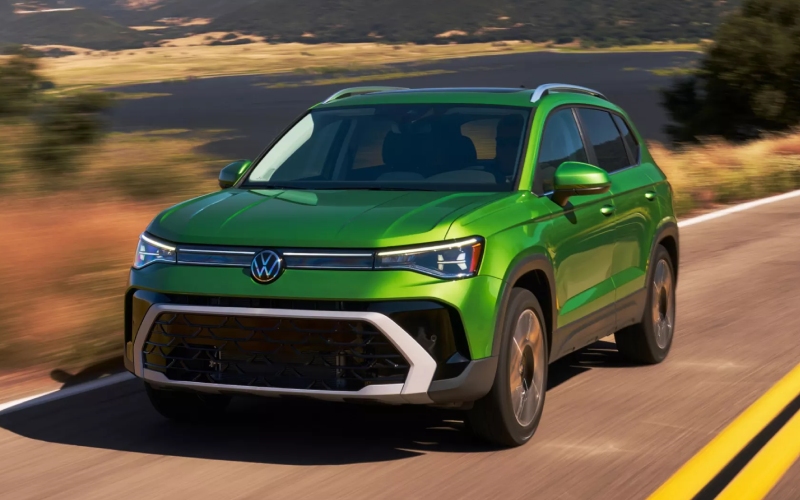
Tom's Volkswagen of Union - How the 2026 Volkswagen Taos Digital Cockpit streamlines daily driving around Springfield, NJ
The Digital Cockpit in the 2026 Taos is more than a pretty display; it’s a driver-first command center designed to simplify information and shrink distraction. Around Springfield, NJ, where a day might include school drop-off, a sprint down Route 22, and a quick detour for groceries, the Digital Cockpit keeps essentials front-and-center with clarity. Crisp graphics put speed, navigation prompts, and driver-assistance cues where you naturally look, so you can focus more on the road and less on deciphering tiny gauges. Pair it with available Wireless App-Connect and your favorite maps, podcasts, and messages can surface with fewer taps—no wires required. The result is a compact SUV that feels modern, intuitive, and surprisingly calming when traffic heats up.
What makes this setup feel so cohesive is how it works with the rest of the Taos ecosystem. IQ.DRIVE® brings hands-on, semi-automated capability to help with lane guidance and traffic pacing on I-78, and the Digital Cockpit neatly visualizes that support so you always know what’s active. If you add the available Wi-Fi Hotspot, passengers can connect without hogging your phone, while the instrument cluster stays focused on what matters for safe travel. Even simple touches—like clear turn-by-turn directions in your line of sight—can take the stress out of unfamiliar neighborhoods or complex intersections. And because the cockpit is digital, layouts can be tailored to you: show the info you want, minimize what you don’t, and keep a clean, predictable view day after day.
- Navigation focus: Position turn cues and next-step guidance prominently to anticipate complex merges or exits.
- Driver-assistance awareness: See IQ.DRIVE® status and prompts at a glance to understand when support is active.
- Media clarity: Keep current track info handy without crowding out core driving data.
- Trip insights: Surface distance, time, and range readouts to plan stops intelligently.
- Minimalist layouts: Reduce on-screen elements to lower cognitive load in heavy traffic.
In daily use, this thoughtful orchestration pays off. The Taos is compact enough for confident parking near parks, schools, or downtown storefronts, yet the cockpit gives it a premium feel that punches above its class. When a storm rolls through, available 4MOTION® adds traction reassurances, while the cluster keeps you informed without overwhelming you. If your week includes carpools or quick post-work errands, the calm, legible presentation helps you switch contexts quickly—no menu hunting when you just need the basics. This balance is what makes the Digital Cockpit an everyday ally instead of a novelty.
When you’re ready to see how the 2026 Taos presents your drive, visit us. Tom's Volkswagen of Union offers guided demos that let you explore cluster configurations alongside available Wireless App-Connect, myVW features, and IQ.DRIVE® driver assistance. Our team, serving Elizabeth, Springfield, and Westfield, can also map a test route that shows how the layout helps during busy merges, quick lane changes, and tight parking. Whether you’re a minimalist who wants a single large speed readout or a planner who likes navigation and assistance cues displayed simultaneously, the Taos adapts—helping you stay informed, calm, and in control from the first mile.
Frequently Asked Questions:
Can I customize what’s shown in the Digital Cockpit?
Yes. You can select different views and prioritize elements like navigation, audio, or driver-assistance status.
Does the Digital Cockpit work with Wireless App-Connect?
It complements Wireless App-Connect by presenting core driving data and select prompts while the center screen manages apps.
Will I see IQ.DRIVE® status in the cluster?
You can view helpful cues and status indicators so you know when systems are active and what they’re monitoring.
Is there a learning curve?
Layouts are intuitive, and our specialists can walk you through setup so your preferred info is only a tap away.