

Tech Confidence With the 2026 Volkswagen Taos - A Smart Guide for Maplewood, NJ Drivers
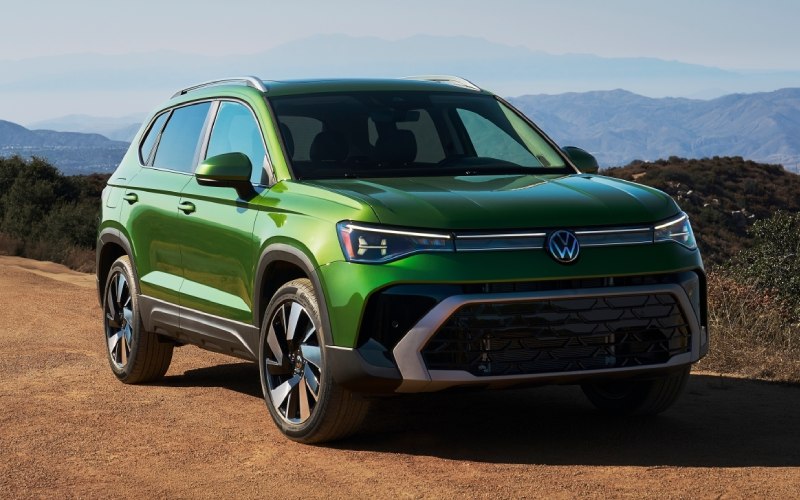
*Not actual model
Tom's Volkswagen of Union - Tech Confidence With the 2026 Volkswagen Taos — A Smart Guide for Maplewood, NJ Drivers
The compact SUV that makes daily driving feel effortless is the one that blends clear, intuitive tech with reassuring road manners. In that spirit, this guide focuses on how the 2026 Volkswagen Taos puts key features right where you want them, so commutes, school runs, and weekend errands around Maplewood, NJ feel simple, even when traffic and weather are not. From its floating 8-inch infotainment display with wireless App-Connect to the Volkswagen Digital Cockpit that keeps essential information front and center, the cabin is built to reduce distractions and streamline your day. Add IQ.DRIVE® driver assistance and available 4Motion® all-wheel drive, and you have a compact SUV that supports your attention while helping you stay poised across seasons.
To get the most from its technology, think of the Taos as your co-pilot, offering smart tools that you can tailor to your preferences. The system’s menus are clean and logically arranged, wireless charging is simple to use, and driver assistance prompts are direct without being intrusive. Whether you are new to advanced safety systems or upgrading from an older vehicle, a few practical steps will have you confidently using its features in minutes.
Try these quick wins on your first drive:
- Pair your phone: Use wireless App-Connect to set CarPlay® or Android Auto™ as your default; customize your home screen to keep maps, calls, and music within a tap.
- Set your cluster: Configure the Volkswagen Digital Cockpit to show turn-by-turn directions or driver assistance status alongside speed and fuel information.
- Save your seat: On SE and higher, store seating and mirror positions; combine with dual-zone Climatronic® settings for a consistently comfortable start.
- Tune driver assists: Choose IQ.DRIVE settings that fit your routine; adjust alert sensitivity and lane centering feedback to match your comfort level.
- Explore drive modes: If equipped with 4Motion®, try Normal and Sport on familiar roads, then sample Snow or Off-Road via Active Control when conditions call for it.
Many shoppers ask how IQ.DRIVE fits real-world driving in busy neighborhoods and on packed highways. The answer is that it assists without overshadowing your instincts—Travel Assist can help with lane centering on long stretches, Front Assist monitors for unexpected slowing traffic or pedestrians, and Adaptive Cruise Control with Stop and Go manages creeping congestion. Because the steering wheel is capacitive, the system knows when your hands are present, keeping you engaged while support is active. If you prefer fewer alerts or more subtle guidance, you can fine-tune settings in seconds.
When seasons change, available 4Motion® with Active Control shows its value. On rainy mornings or snowy evenings, torque can be routed to the rear axle quickly, helping maintain traction before slip becomes noticeable. Off-Road and Off-Road Custom settings can relax ESC thresholds and enable features like Hill Descent Control, adding reassurance on steep driveways or unpaved paths. The key is to practice mode changes on familiar streets, so in a storm or on a weekend hike, you can switch profiles intuitively.
Frequently Asked Questions:
How should I set up the Volkswagen Digital Cockpit for daily commuting?
Choose a layout that places navigation or driver assistance status near the speedometer, and save it. This way, you get constant awareness without shifting your gaze between screens.
Do I need 4Motion if I mostly drive on paved roads?
If your schedule includes early school runs, late-evening returns, or weekend trips where weather can turn, 4Motion adds confident traction and pairs with Active Control modes for four-season readiness.
Can IQ.DRIVE help in stop-and-go traffic?
Yes. Adaptive Cruise Control with Stop and Go can manage speed and spacing, and Travel Assist can help center the vehicle within lane markings. You remain in charge, with the system assisting as needed.
What should I customize first after pairing my phone?
Set your preferred mapping app, reorder your infotainment tiles for quick access, and adjust audio balance. On SE and above, store your seating and mirror positions, then set your Climatronic® preferences.
At Tom's Volkswagen of Union, we demonstrate each feature in plain language and show how to personalize settings in a few minutes. Our team is serving Maplewood, South Orange, and Mountainside with test drives that focus on practical routines—merge onto a busy highway to try Travel Assist, navigate local streets to test Front Assist alerts, and sample drive modes in a safe, familiar area. With a short, guided walkthrough, the Taos feels like it was designed specifically for your day, from first start to final errand.